Binance
www.binance.comExporting transaction history from Binance
Binance is the world's largest cryptocurrency exchange. To properly file your PIT-38 tax return for cryptocurrency trading, you need a complete transaction history for the tax year. Binance allows you to download data in Excel (XLSX) format from the Asset History section.
Log in to your Binance account. From the top menu, select "Trade", then "Asset History".
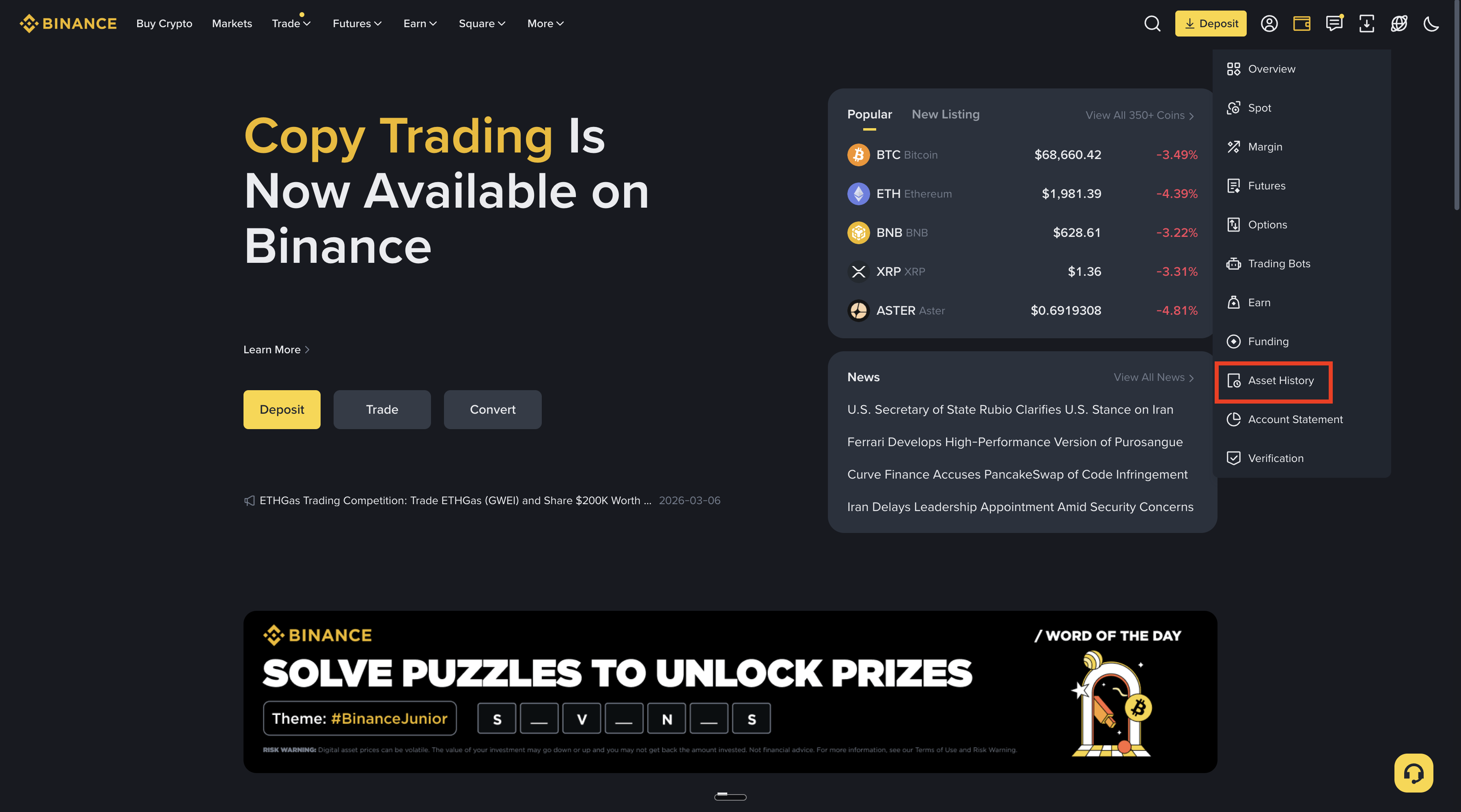
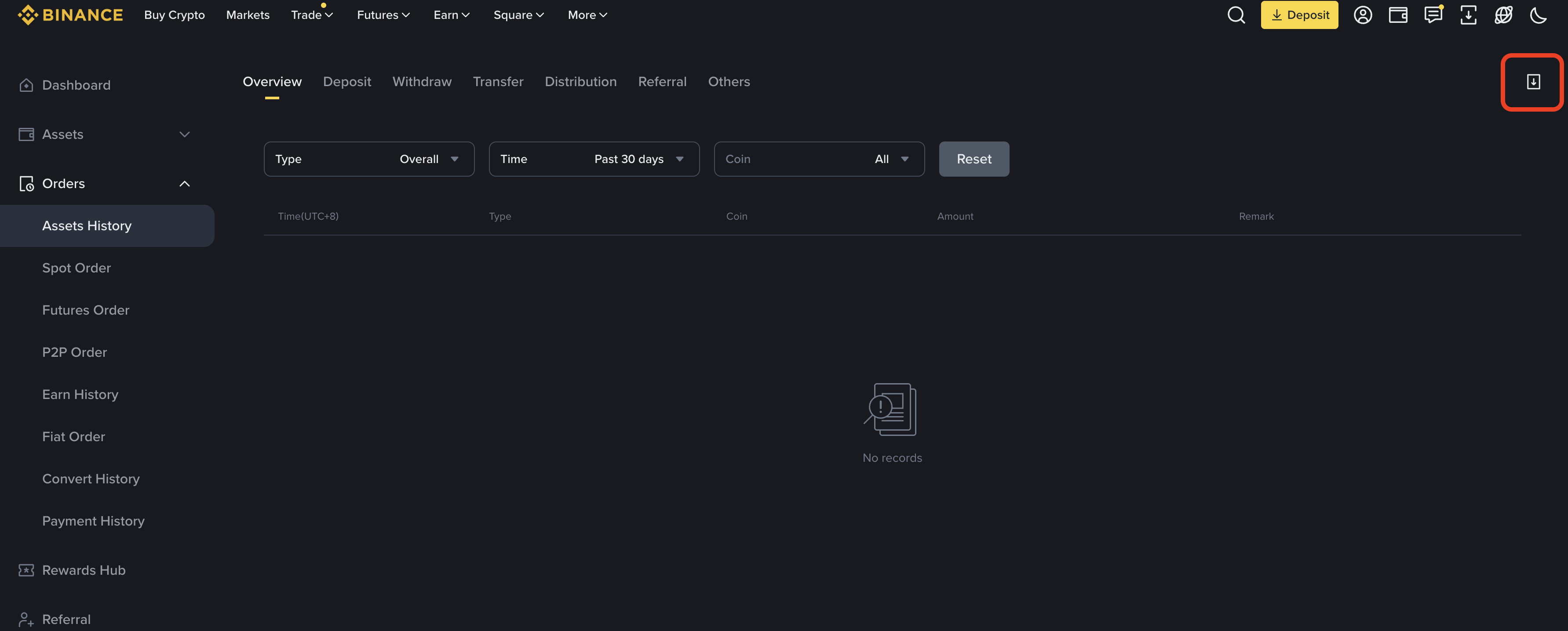
In the Orders → Asset History section, you can browse your transaction history. To download a full report, go to "Data Download Center".
In the Account panel, select "Generate All Statements" or go directly to Data Download Center from the profile menu.
In the Data Download Center, select the data type: "Spot Trade History" (recommended) or "Spot Order History" or "Transaction History".
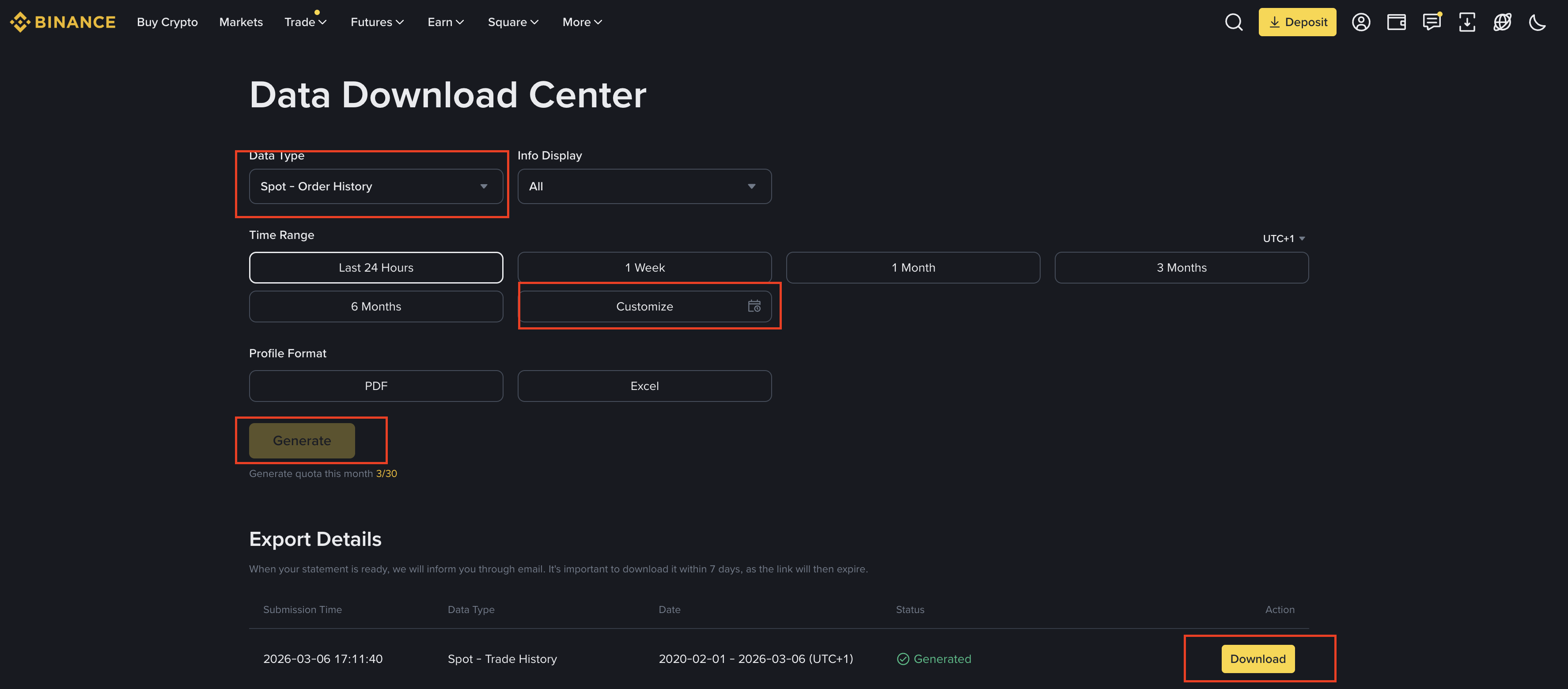
Set Time Range to "Customize" and select the full tax year (e.g., 01/01/2024 – 12/31/2024).
Select Excel (.xlsx) as the file format.
Click "Generate". Once the report is generated, click "Download" and save the file to your computer.
We recommend exporting "Spot Trade History" — it's the cleanest format with prices, quantities, and fees. If the file is in a ZIP archive, unzip it before importing. Generate reports for the full tax year.
Alternative export formats
Besides "Spot Trade History" (recommended), the Data Download Center offers other data types. The export steps are identical to those above — only the "Data Type" selection changes.
In the Data Download Center, instead of "Spot Trade History" select "Spot Order History" (order history — includes cancelled orders) or "Transaction History" (full account history — deposits, withdrawals, fees)
"Spot Order History" contains all orders including cancelled and partially filled — the calculator automatically skips unfilled orders
"Transaction History" is the most detailed format — it contains atomic operations (Buy/Sell/Fee) that the calculator groups into transactions
Frequently Asked Questions
How is cryptocurrency taxed in Poland (PIT-38)?
Cryptocurrency profits are taxed at a flat 19% rate and reported on PIT-38. You report the total revenue from sales and the cost of acquisition. The FIFO (First In, First Out) method is mandatory for determining which coins were sold.
How does FIFO work for crypto on Binance?
FIFO means the first coins you bought are treated as the first ones sold. If you bought BTC in 2023 and sold in 2024, the 2023 purchase price is the cost basis. Import your full Binance history so the calculator can match purchases to sales correctly.
Which Binance export type should I use?
"Spot Trade History" is recommended — it contains clean trade data with prices, quantities, and fees. "Transaction History" also works but is more detailed. Avoid "Spot Order History" unless you need cancelled orders.
The downloaded file is a ZIP archive — what should I do?
Binance sometimes packages exports as ZIP files. Simply unzip the archive and import the .xlsx file inside. Do not rename or edit the file before importing.
Is staking income taxable in Poland?
Yes, staking rewards are generally treated as income at the moment of receipt. However, the tax treatment can be complex — staking rewards may be classified differently depending on the specific arrangement. Consult a tax advisor for your situation.
Common Issues and Solutions
Downloaded file is in ZIP format
Binance sometimes packages exports in a ZIP archive. Unzip the archive and import the .xlsx file you find inside.
Do not edit the file on mobile devices
Editing the XLSX file on a mobile device may corrupt the data structure. Import the original, unmodified file.
Missing transactions for part of the year
Make sure the date range covers the full tax year (01/01 – 12/31). Binance may default to a shorter period.
Ready to import your file?
Log in to the calculator and import your transactions. The system will automatically recognize the Binance format.
Last updated: March 6, 2026