Freedom24
freedom24.comExporting Broker Report from Freedom24
Freedom24 allows downloading a broker report in XLS format from the web interface. Only XLS files are supported. The report contains trades (buy/sell) and securities income (dividends and withholding tax).
Log in to Freedom24 in the web version and click the hamburger menu (☰) in the top-right corner
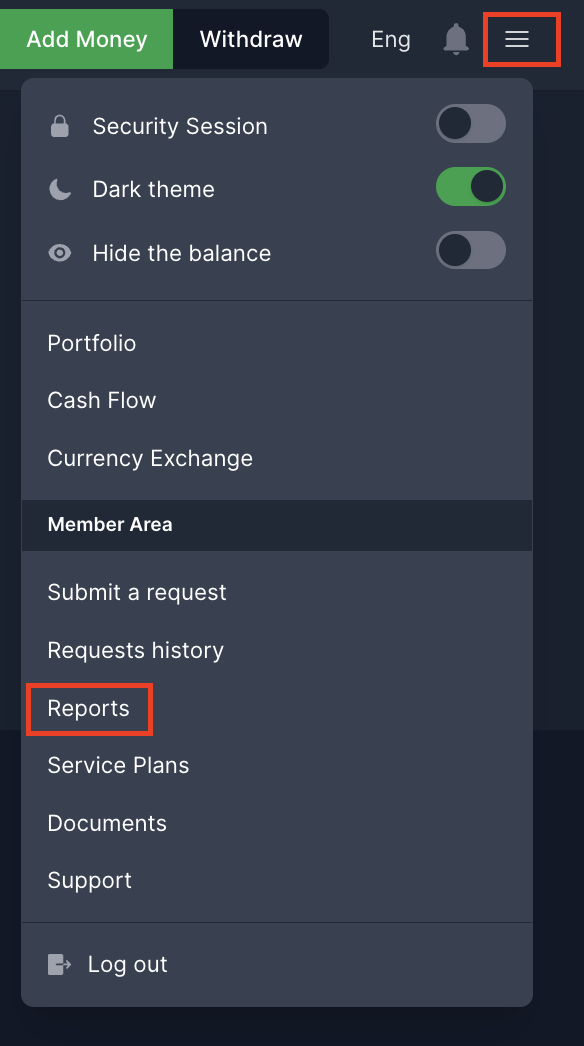
Select "Report"
Select "Broker Report", then "For period"
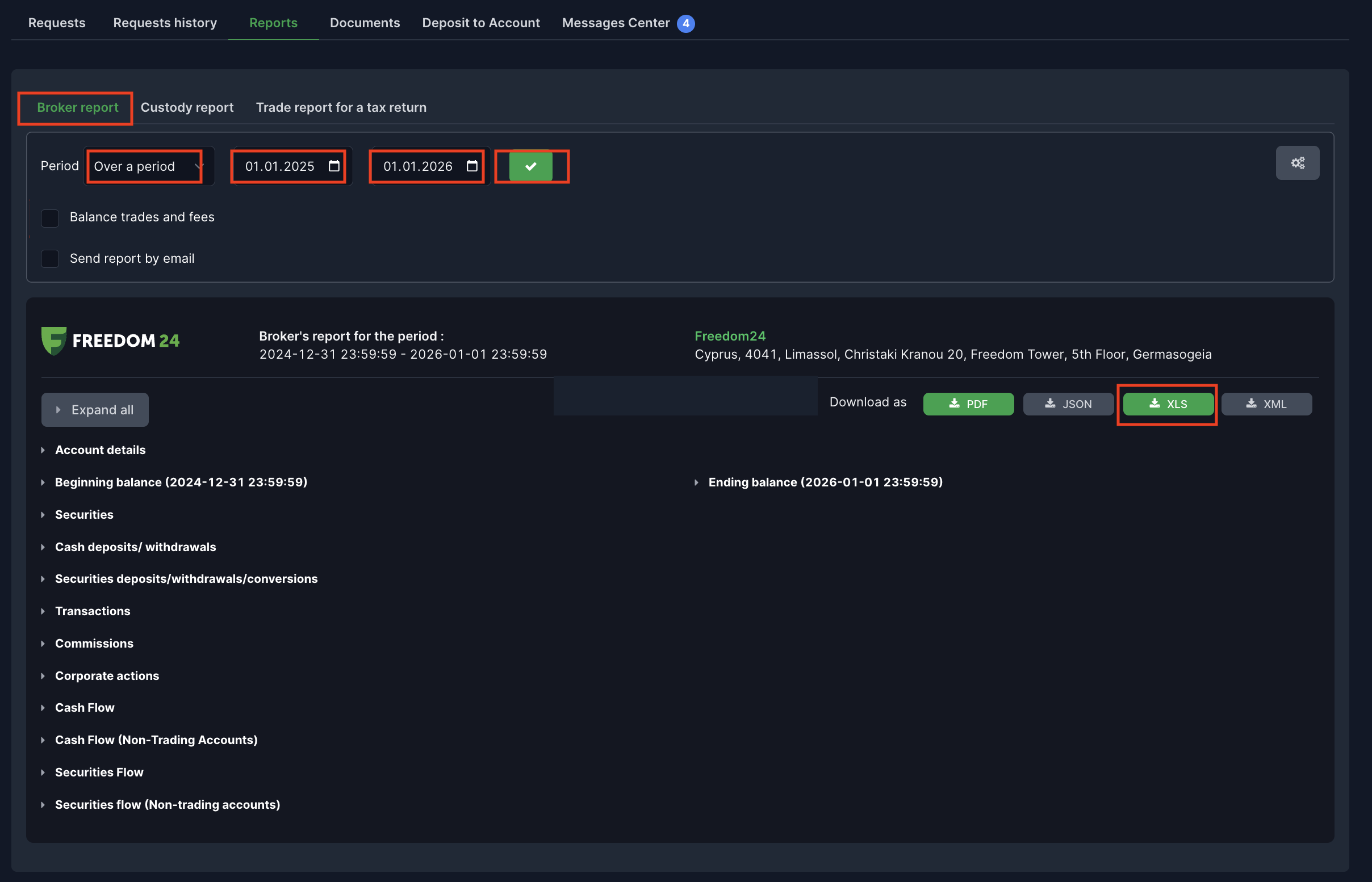
Set the widest possible date range (all years back) and click the green "✓" button
Download the report in "XLS" format
The full date range is required for correct FIFO tax calculation. The calculator needs all transactions to properly match sales to purchases in chronological order. The downloaded XLS file can be imported into the app, which will automatically calculate the capital gains tax (19%) and prepare PIT-38 data.
Only XLS format files are supported. If you encounter any issues, report them via the contact form in the app.
Frequently Asked Questions
Do I need to file Polish taxes for Freedom24 transactions?
Yes. Freedom24 is a foreign broker (Cyprus), so you must report all capital gains and dividends on PIT-38 yourself. Freedom24 does not file taxes on your behalf in Poland.
Does Freedom24 issue PIT-8C?
No, Freedom24 is not a Polish broker and does not issue PIT-8C. You are fully responsible for calculating and filing your PIT-38 return using the broker report export.
How are Freedom24 dividends taxed?
Dividends from foreign companies are reported in PIT-38 Section G at 19%. Withholding tax deducted at source (visible in the SecIncome sheet) is credited against the Polish tax, up to the Polish tax amount.
Is interest from the Freedom24 D-account taxable?
Yes, interest income from the Freedom24 D-account (savings account) is taxable in Poland. It should be reported as interest income. The tax treatment may differ from capital gains — consult a tax advisor for details.
Do I need PIT-ZG for Freedom24?
Yes, since Freedom24 is a foreign broker, all income is foreign-sourced. You must attach PIT-ZG to your PIT-38 return with a country-by-country breakdown of income.
Common Issues and Solutions
No export option in the mobile app
The export function is only available via browser. Log in at freedom24.com or freedomfinance.eu on a computer.
XLS report does not contain dividends
Make sure you download the "Broker Report" (not "Transaction History"). The broker report contains a trades sheet (ExecTrades) and a securities income sheet (SecIncome), including dividends and withholding tax.
Ready to import your file?
Log in to the calculator and import your transactions. The system will automatically recognize the Freedom24 format.
Last updated: January 10, 2026