Interactive Brokers
www.interactivebrokers.comExporting Transactions from Interactive Brokers
Interactive Brokers is one of the most popular brokers among investors. The following instructions show how to configure a Flex Query report for stock transactions. For accurate FIFO settlement, import files for ALL years since you started trading — without the full purchase history, the application cannot correctly determine acquisition costs. IB limits each export to 365 days, so generate reports separately for each calendar year.
Log in to your Interactive Brokers account and open the "Performance & Reports" menu
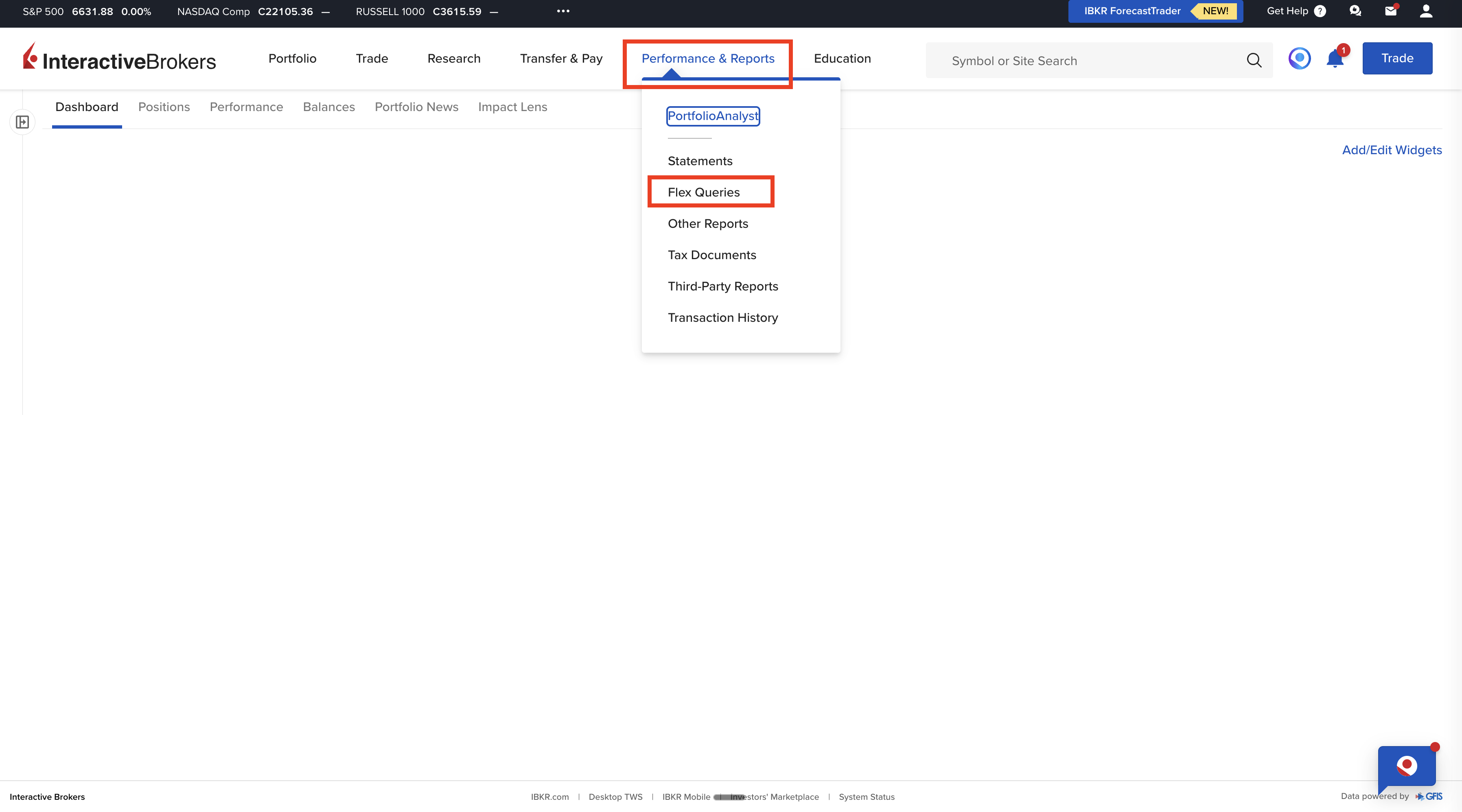
Navigate to the Flex Queries section
Press the "Create" button to create a new Flex Query
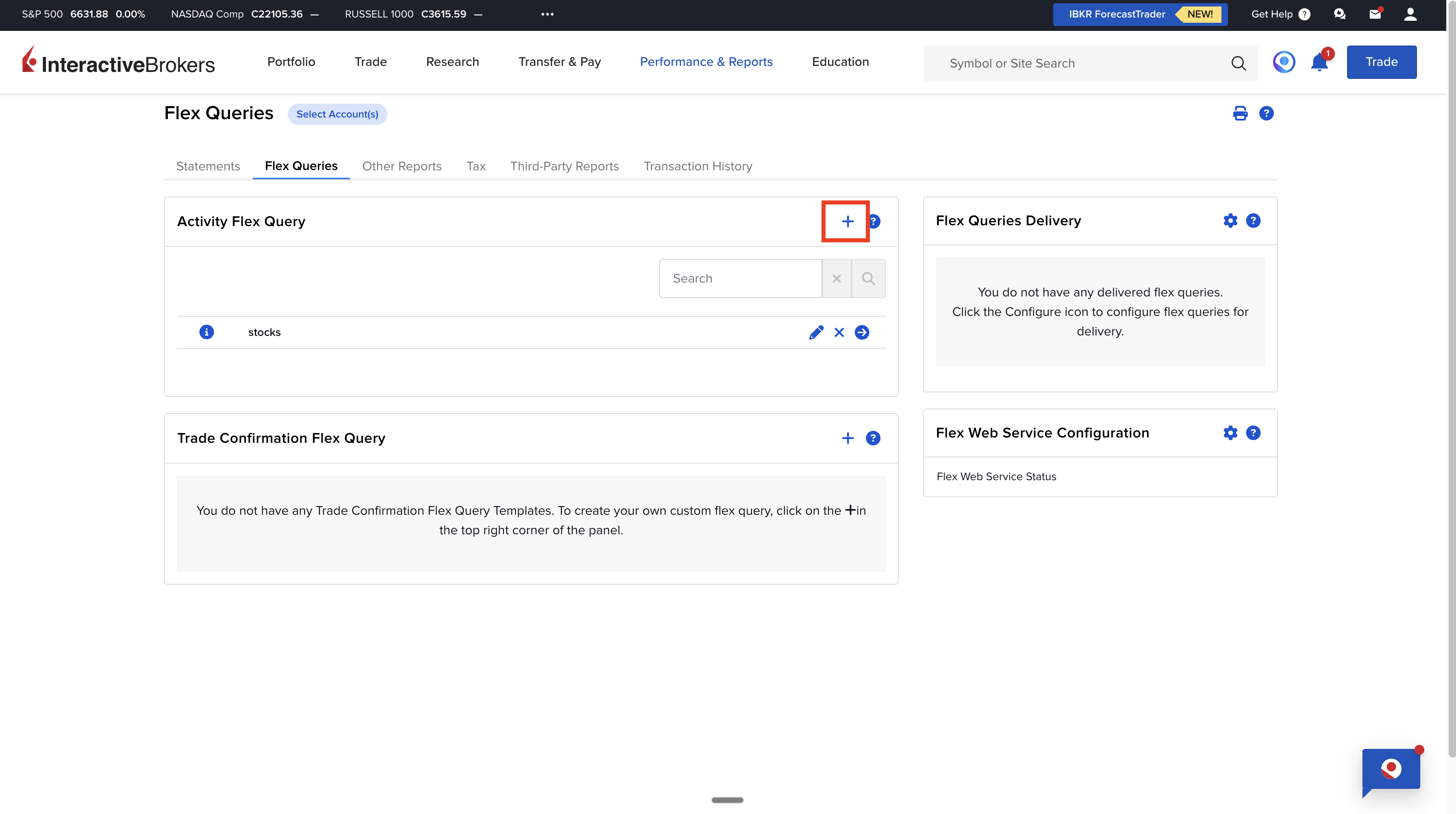
Name the report e.g. "transactions", then in the "Sections" section choose "Trades" and press "Select All" — check all available columns
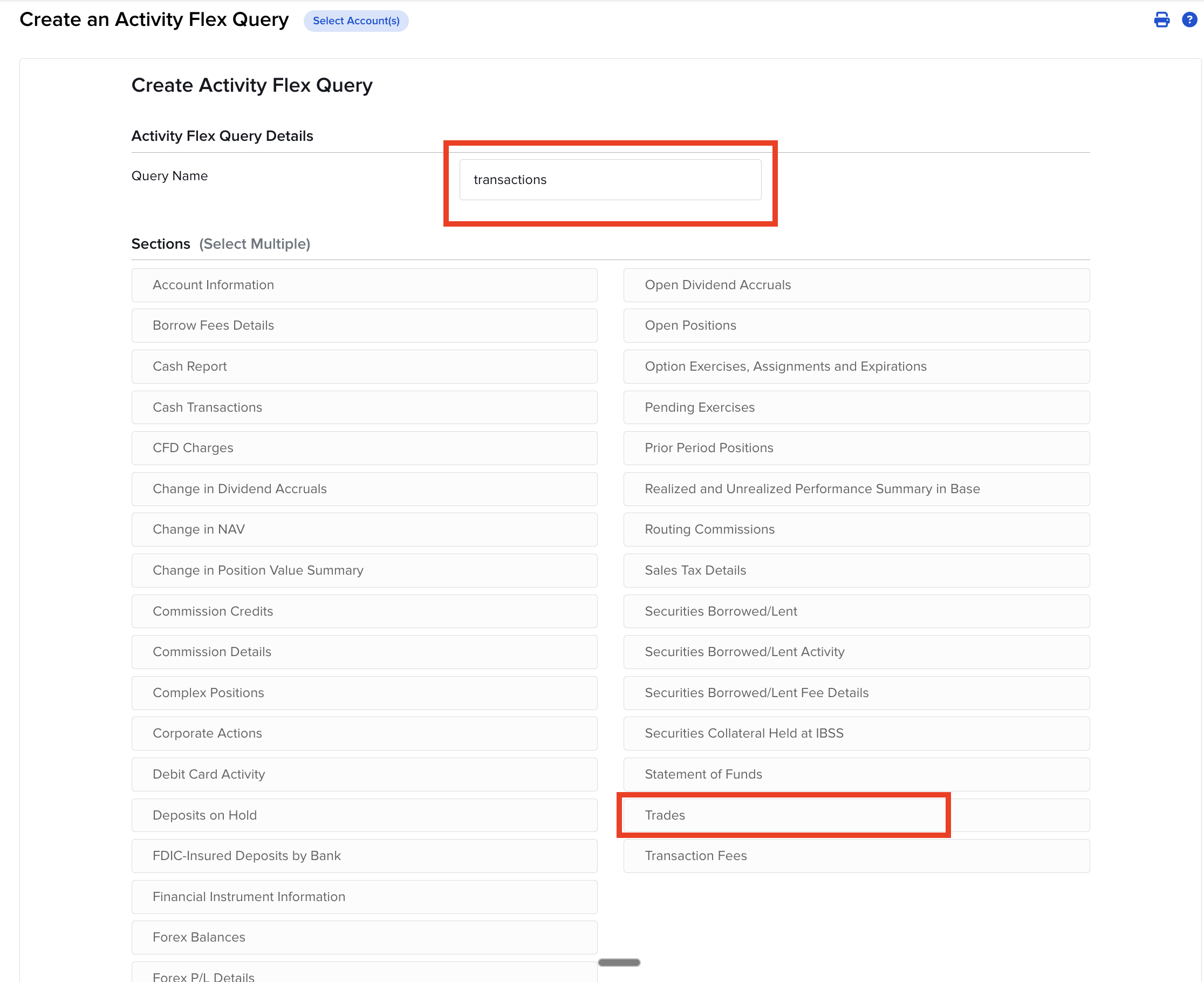
Scroll down and press "Save"
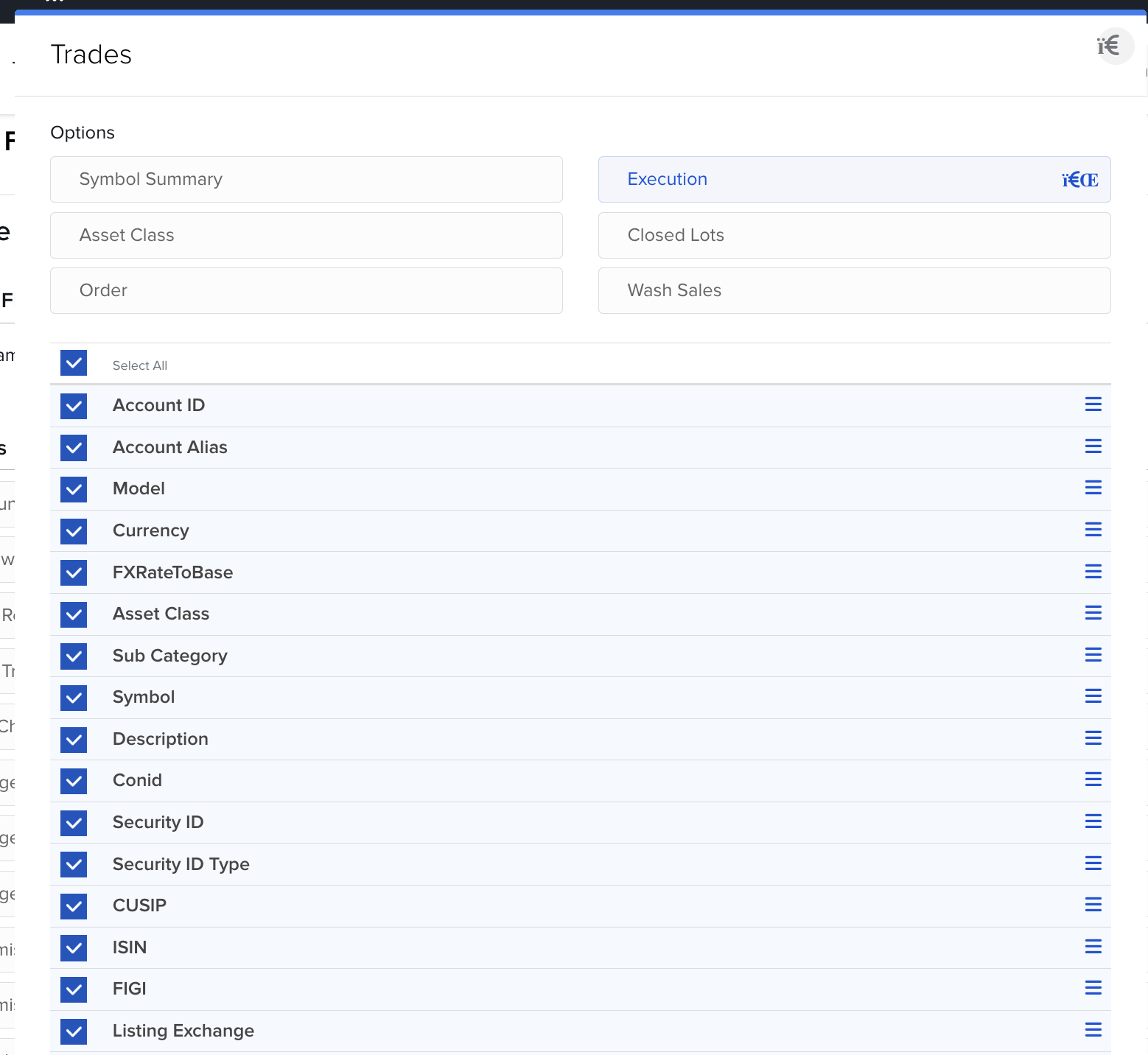
In the "Sections" section add: "Corporate Actions" (splits, spin-offs) — check all columns and save
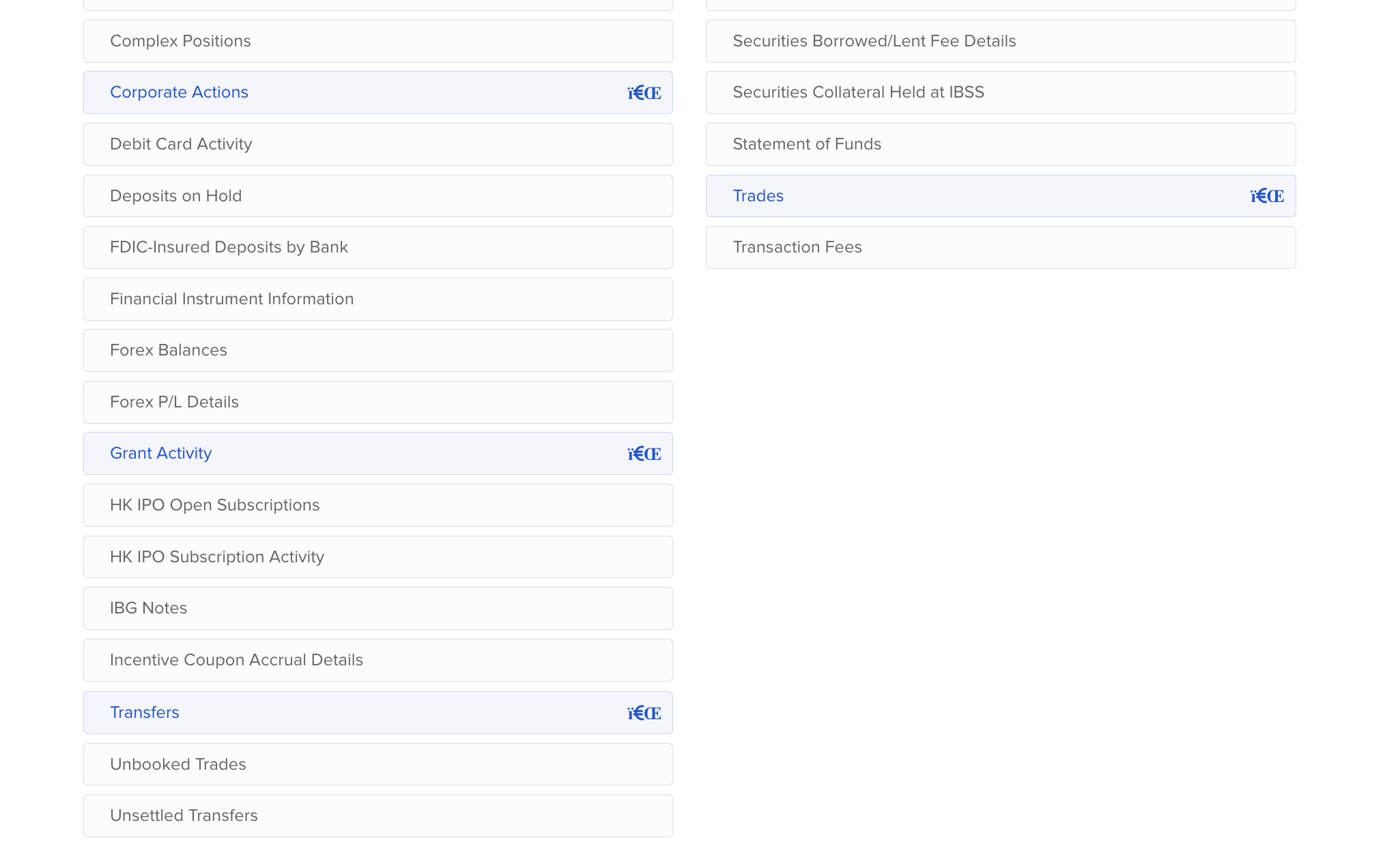
Also add "Grant Activity" (awards, equity awards) — check all columns and save
Also add "Transfers & Fees" (transfers and fees between accounts) — check all columns and save
Add your main trading account, set format to "CSV" and make sure "Include column headers" is set to "Yes", then press "Continue"
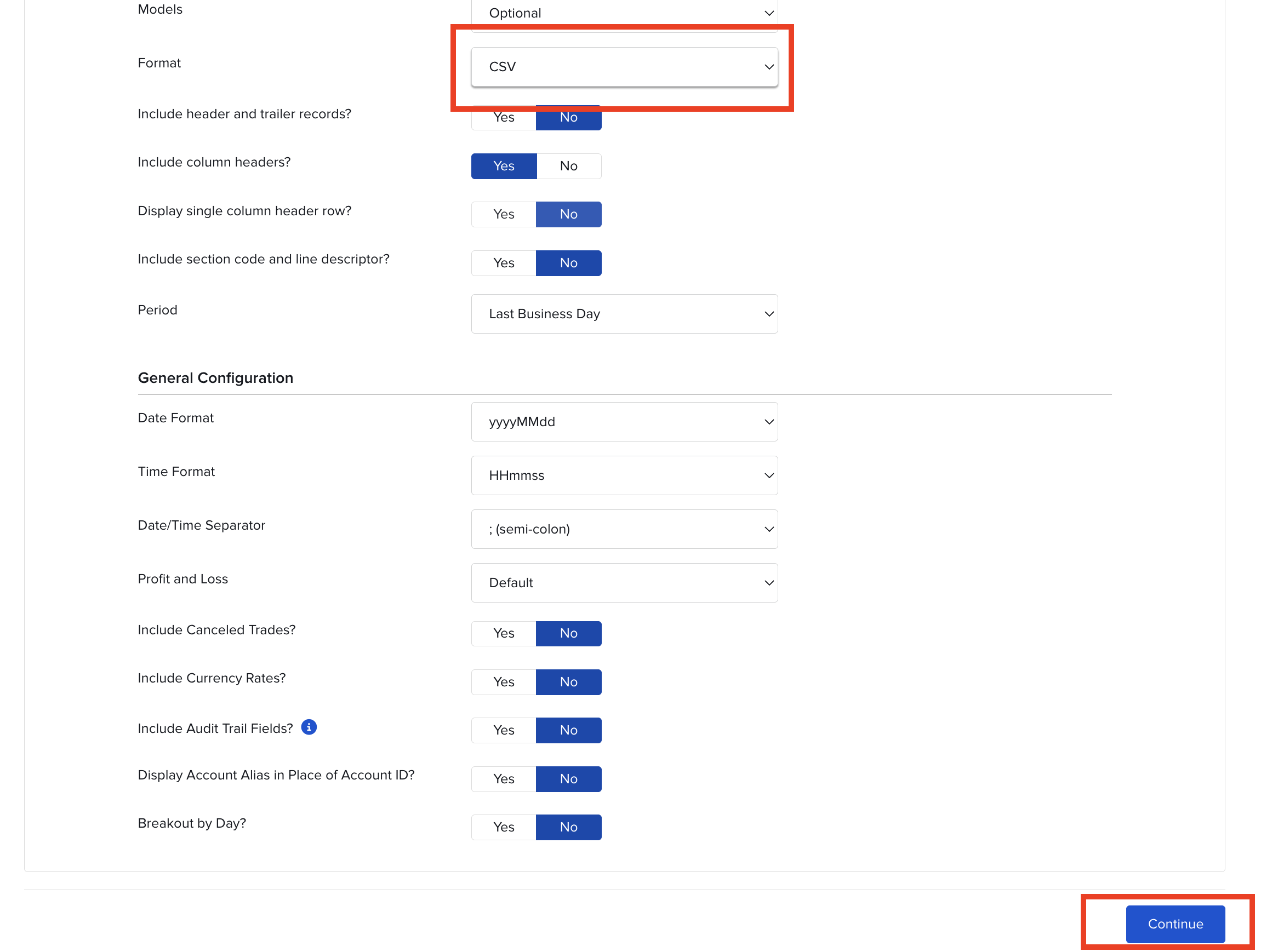
Scroll down and press "Create" to save the report configuration
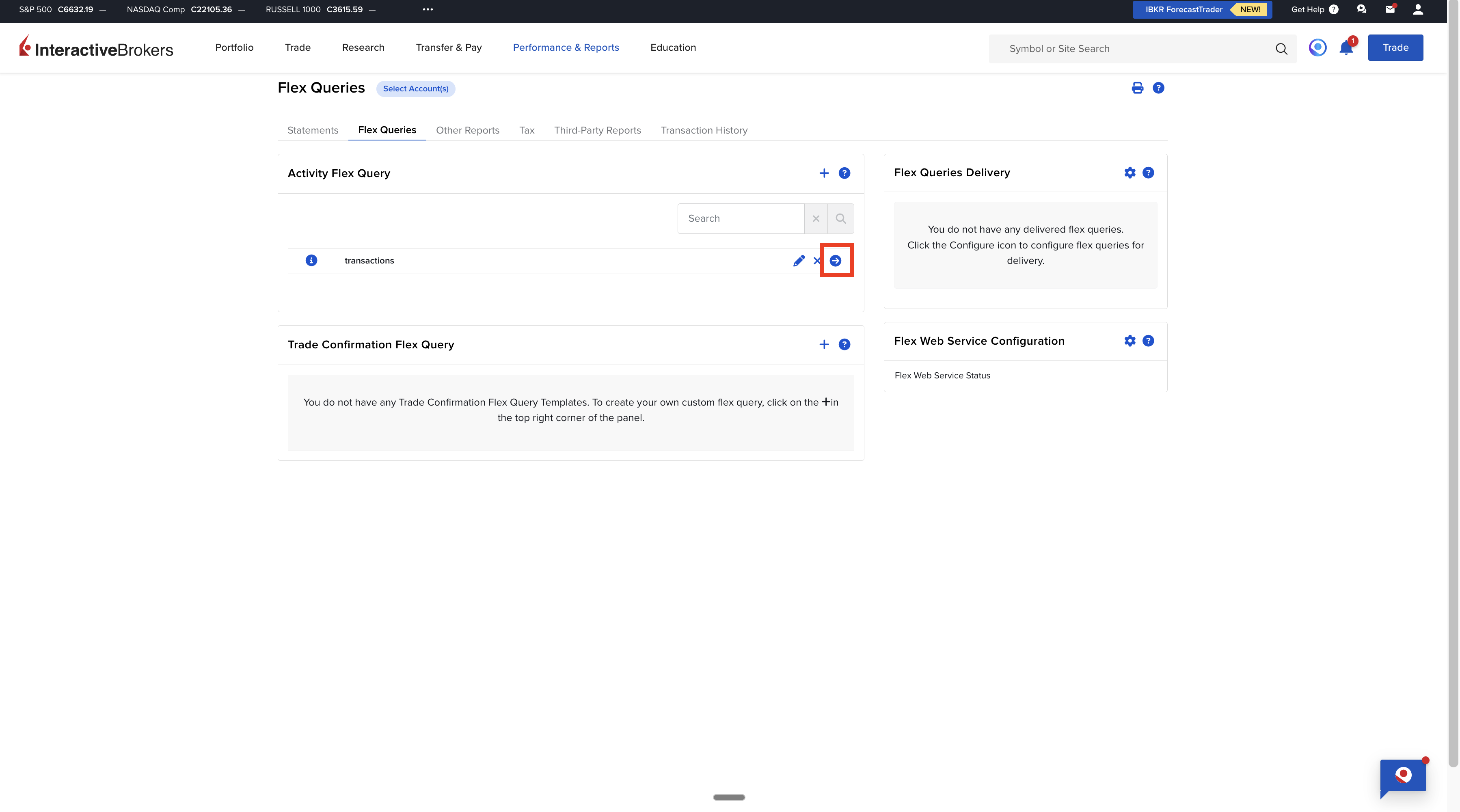
Go back to "Performance & Reports" → "Flex Queries" — you will see your saved report (e.g. "transactions") on the list. Click the right arrow (▶) next to its name to generate it. In the "Period" field select "Custom Date Range"
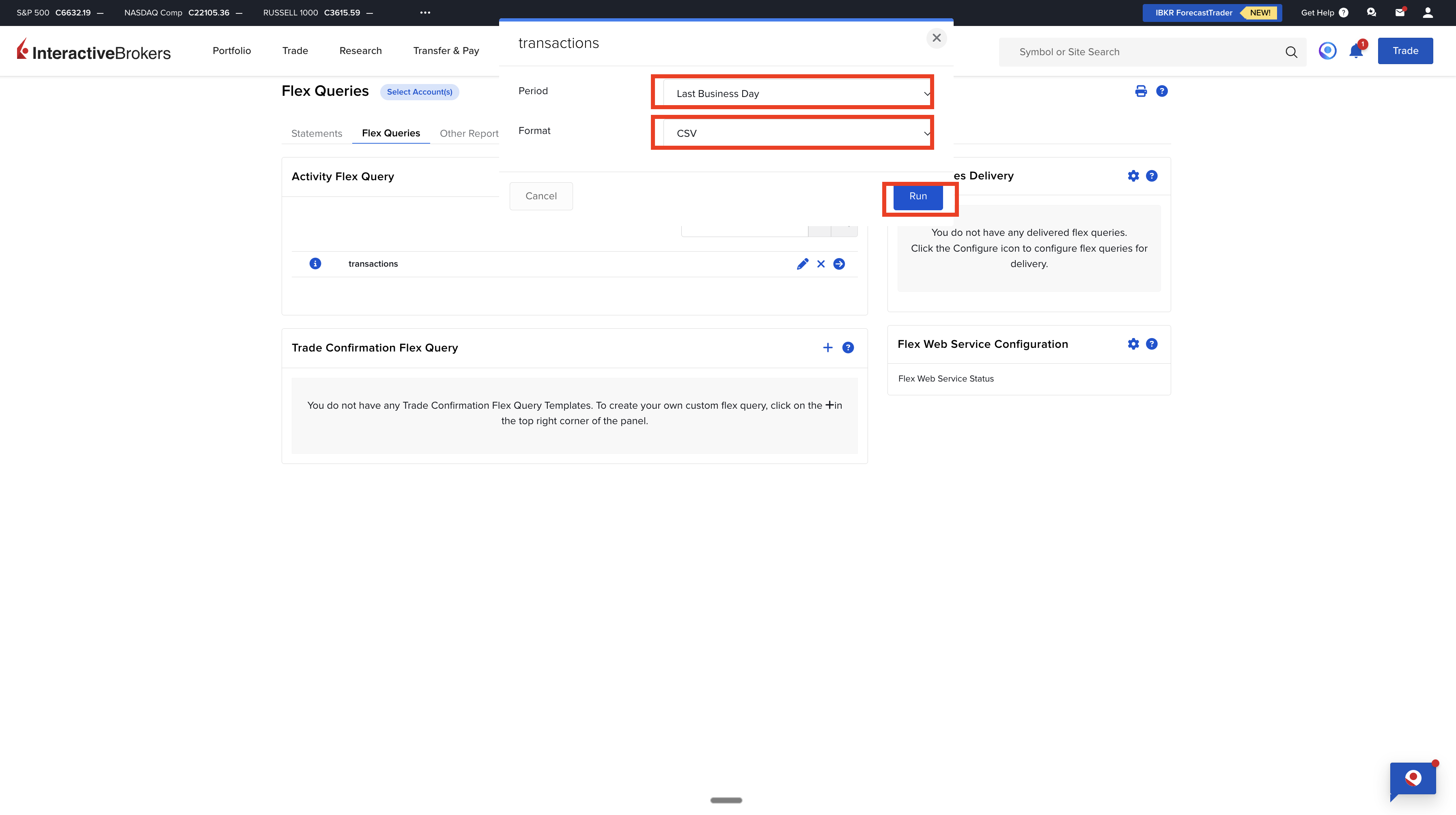
Set the date range (maximum 365 days — we recommend exporting one calendar year at a time) and press "Run" — the report will download automatically
Prepare reports for all years back to when you started trading. Make sure dates in consecutive files do not overlap. We recommend exporting by individual calendar years — the same files can be reused for next year's settlement. The "Performance & Reports → Statements → Transaction History → CSV" export is read as well, but it has no ISIN column — in our test files an ISIN appears in it twice per about 370 rows. Without an ISIN we cannot look the issuer up in the registers, and you will be asked to confirm the country by hand for every instrument. Use Flex Query where you have the choice.
Flex Query reports can cover a maximum of 365 days. If you need data for multiple years, prepare a separate report for each year. Without the complete purchase history, the application cannot correctly determine acquisition costs using the FIFO method.
Exporting Dividends from Interactive Brokers
Dividends from Interactive Brokers are exported via a separate Flex Query based on the "Cash Transactions" section. We recommend importing data for previous years as well — this allows you to account for additional fees, commissions, and other costs related to dividends.
Log in to your Interactive Brokers account and open the "Performance & Reports" menu
Navigate to the Flex Queries section and press "Create"
Name the report e.g. "dividends"
In the "Sections" section choose "Cash Transactions"
In the "Options" section check all options except "Summary", then press "Select All" — check all columns
Scroll down and press "Save"
Add all accounts where you receive dividends, set format to "CSV" and make sure "Include column headers" is set to "Yes", then press "Continue"
Scroll down and press "Create"
Click the right arrow next to the report name ("dividends") to generate it
In the "Period" field select "Custom Date Range", set the date range (max 365 days — we recommend a full calendar year) and press "Run" — the report will download automatically
Tax Settlement with Interactive Brokers
Interactive Brokers is an American broker, so all transactions require the PIT-ZG appendix to PIT-38. The calculator automatically identifies foreign transactions and prepares a breakdown by country.
Dividends from US companies are subject to WHT at 30% (no W-8BEN) or 15% (with W-8BEN). Per Art. 11(2) of the PL-US treaty, only WHT **up to the treaty rate (15%)** is creditable in Poland — you pay the 4pp gap (19%-15%) here. Any excess (e.g. 15pp when broker withheld 30% without W-8BEN) must be reclaimed from the IRS via Form 1040-NR, not from Polish tax authorities.
Transactions on European exchanges (e.g., XETRA, LSE) also require PIT-ZG, but there is often no withholding tax on dividends.
Currency exchange rates are converted according to NBP rates from the transaction date. IBKR reports transactions in original currencies, so the calculator automatically converts everything to PLN.
The FIFO method is mandatory for all transactions. Make sure you export the full history from the first purchase of shares you sold in the settlement year.
Example of Tax Settlement for an Interactive Brokers Transaction
Example: You bought 100 Apple (AAPL) shares in January 2025 at $150 per share (USD/PLN rate: 4.00 = 60,000 PLN). In June 2025, you sold 50 shares at $180 (USD/PLN rate: 4.10 = 36,900 PLN). Income: 36,900 - 30,000 = 6,900 PLN. Tax: 6,900 x 19% = 1,311 PLN. You still hold the remaining 50 shares - their acquisition cost (30,000 PLN) will be the basis for calculating tax on a future sale.
Frequently Asked Questions
Do I need to report demo account transactions?
No, demo account (paper trading) transactions are not taxed. Only report transactions from your live account.
How do I settle options and futures from IBKR?
Options and futures are taxed differently than stocks. Options are settled at expiration or when the position is closed. Futures are settled daily (mark-to-market). Consult a tax advisor for complex instruments.
Are IBKR commissions tax-deductible?
Yes, commissions are a tax-deductible expense and reduce taxable income. The calculator automatically includes commissions in the calculations.
What about the dividend tax on Polish companies through IBKR?
If you buy Polish stocks through IBKR, dividends are subject to withholding tax in Poland (19%). You do not need to report them in PIT-38, but you must include them in PIT-ZG as foreign income.
How do I carry forward losses from previous years?
Losses from previous years can be deducted from income in the current year. The calculator shows both income and losses. Fill in the appropriate fields in PIT-38, referring to your previous declarations.
Why does the application show incorrect purchase costs?
The FIFO method requires the full transaction history. If you only import data for the current year but purchased shares in previous years, the application has no information about the original purchase prices. Import files for all years since you started trading on IB.
What about account migration?
If your IBKR account was migrated (e.g., from one entity to another), go to "Select Account(s)" when creating a Flex Query, use the "Filter" button and check both "Open" and "Migrated" statuses. Press "Apply", confirm the selection, and continue. This ensures the report includes the full history from both the old and new accounts.
Common Issues and Solutions
No data in the report
Check that the date range covers the period when you had transactions. Make sure you selected the correct account (if you have multiple).
File is not recognized by the calculator
Make sure you selected CSV format with a comma separator, not a semicolon.
Some transactions are missing
Flex Query has a 365-day limit. For longer periods, create multiple reports and import them all.
Ready to import your file?
Log in to the calculator and import your transactions. The system will automatically recognize the Interactive Brokers format.
Last updated: January 15, 2026